
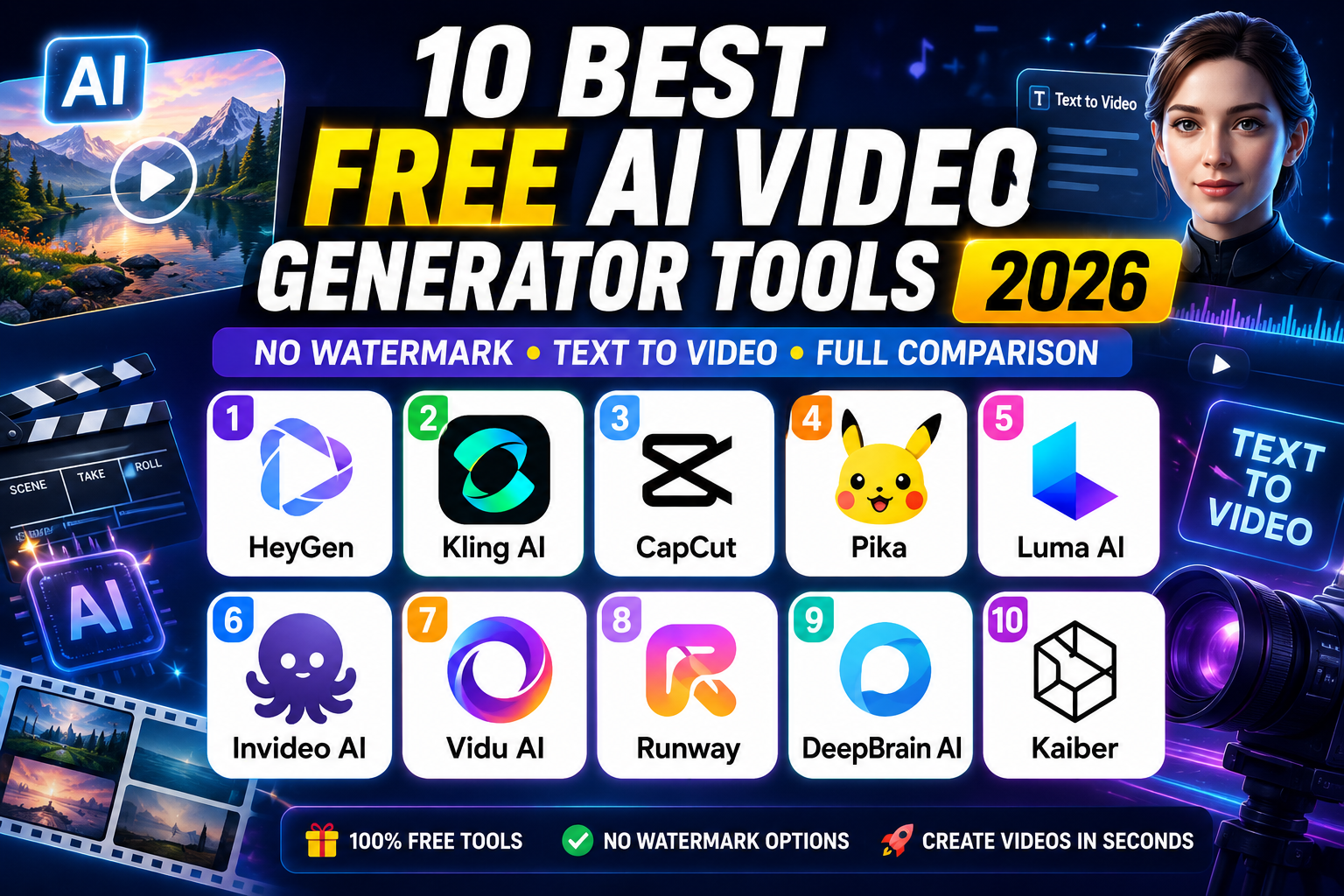
Searching for the best free AI video generator tool 2026? You’ve landed in the right place. Whether you need a free AI video generator for YouTube, social media, business presentations, or creative projects — this guide covers everything. We tested 10 top platforms for text-to-video generation, output quality, watermark policy, and free tier generosity, so you don’t have to waste hours signing up for tools that disappoint.
The best AI video maker 2026 tools have matured dramatically. The quality gap between free and paid has narrowed, and several platforms now offer genuinely useful free tiers — not just a 30-second trial. This guide ranks them honestly.
⚡ Quick Answer: Best overall = HeyGen (avatar videos) | Best cinematic = Kling AI | Best no watermark free = Pika | Best for beginners = CapCut
📋 Table of Contents
- What is a Free AI Video Generator?
- How We Tested — Our Methodology
- Top 10 Best Free AI Video Generator Tools in 2026
- Best Free AI Video Generator No Watermark 2026
- Best Text to Video AI Free Tools
- Full Comparison Table
- Free AI Video Generator for YouTube, Beginners & More
- How to Make AI Videos for Free in 2026
- FAQ
- Conclusion
What is a Free AI Video Generator?
A free AI video generator is a software tool powered by artificial intelligence that creates videos from text prompts, images, scripts, or audio — without requiring any manual video editing skills. These tools use deep learning models to automate text to video generation, camera movement, transitions, voiceovers, and even lip-sync.
In 2026, the top free platforms support:
- Text to video AI free — type a prompt, get a video clip in seconds
- Image to video AI — animate a still image into a moving clip
- AI avatar video generator — create talking-head videos with realistic digital avatars
- AI video editing tool features — auto-captions, background removal, music sync
- AI video generator for social media — optimized outputs for TikTok, YouTube Shorts, Instagram Reels
How We Tested — Our Methodology
We tested every tool on its free tier using three identical prompts: a cinematic landscape, a human character scene, and a stylized motion effect. Each was evaluated on:
- Output quality (25%) — visual fidelity, motion smoothness, prompt accuracy
- Free tier generosity (20%) — credits, daily limits, watermark policy
- Ease of use (15%) — time from signup to finished video
- Feature depth (15%) — avatars, voiceovers, templates, editing
- Commercial usability (15%) — legal rights on free-tier videos
- Export options (10%) — resolution, formats, aspect ratios
We also tracked compute credits AI video limits carefully — many tools advertise “free” but give you credits that run out after 2–3 clips. We separate genuine ongoing free tiers from one-time trials.
Top 10 Best Free AI Video Generator Tool 2026
Below are the 10 best tools for AI video generator from text, image-to-video, and avatar-based creation — all with working free tiers as of June 2026.
1. 🏆 HeyGen — Best Overall Free AI Video Generator
Free: 3 videos/month (1 min each)Avatars: 230+Languages: 175+Paid from: $24/month
HeyGen is the most complete free AI video generator for business creators in 2026. Unlike most tools that hand you a watermarked clip, HeyGen gives you a full production studio — AI avatar video generator with 230+ avatars, voice cloning, 175 languages, and real-time subtitle generation. The free plan allows 3 complete one-minute videos per month with no watermark on paid output.
Standout feature: HeyGen now integrates Sora 2 and Veo 3.1 models for generative B-roll inside its platform — giving you access to flagship AI video quality through one interface. It also supports image to video AI with realistic lip-sync and motion.
Best for: YouTube channels, product explainers, corporate training, multilingual marketing, faceless channel creation
✅ Verdict: Best free AI avatar video generator with the most production-ready output. If you create business or educational videos, start here.
🔗 Visit HeyGen Official Website →
▶ How to Use HeyGen in 2026 — Step-by-Step Beginner Tutorial (YouTube)▶ HeyGen AI Tutorial: How to Use AI Avatars & Video Generator 2026 (YouTube)
2. 🎬 Kling AI Free Tier 2026 — Best Cinematic AI Video Generator
Free: ~66 credits/day (daily refresh)Resolution: 720p free / 4K paidMax Duration: 10 secPaid from: $6/month
The Kling AI free tier 2026 remains one of the most generous ongoing free plans available. Developed by Kuaishou, Kling AI 3.0 (launched February 2026) was the first model to produce native 4K at 60fps. Even on the free tier, it delivers smooth, physically accurate motion that sets a new standard for AI video generator for social media content.
Free tier reality: Daily ~66 credits refresh every 24 hours — enough for 4–6 short generations per day, consistently. Free requests join a slower queue (5–15 min wait at peak hours). Output is 720p with watermark on free tier.
Best for: Cinematic social media clips, YouTube B-roll, product animation, creative concept testing
✅ Verdict: Best free AI video generator for cinematic clips. Daily credit refresh makes it viable for ongoing social media content creation.
🔗 Visit Kling AI Official Website →
▶ Ultimate Kling 3.0 Guide 2026 — How to Use Kling AI for Beginners (YouTube)▶ How to Use Kling AI — Free High Quality AI Video Generator Tutorial (YouTube)
3. ✂️ CapCut — Best Free AI Video Generator for Beginners
Free: No watermark on desktopResolution: Up to 1080pPlatforms: Web, Mobile, DesktopPaid from: $9.99/month
CapCut is the top pick as a free AI video generator for beginners in 2026. Owned by ByteDance (TikTok’s parent), CapCut requires zero editing experience. Type a script, pick a style (Movie, Cartoon 3D, Photograph), and it assembles a complete video with visuals, transitions, and music automatically. It’s the most beginner-friendly AI video generator for social media available today.
Key advantage: The desktop version exports without watermark on the free plan — rare among free AI video tools. This makes it the safest choice for creators who need clean exports without a subscription.
Best for: TikTok, Instagram Reels, YouTube Shorts, beginners, quick social content
✅ Verdict: Best free AI video generator for beginners — no watermark on desktop, fastest signup-to-video time of all tools tested.
🔗 Visit CapCut Official Website →
4. 🎥 InVideo AI — Best Free AI Video Generator for YouTube
Free: 10 AI minutes/week + 5,000 templatesResolution: 1080pModels: Sora 2 + Veo 3.1 integratedPaid from: $25/month
InVideo AI is the fastest text to video AI free tool for YouTube creators. A 50-word description generates a complete video — stock footage, voiceover, captions, transitions, and background music — in under 3 minutes. The 2026 update integrates Sora 2 and VEO 3.1 directly into its pipeline, giving free AI video generator for YouTube users access to top-tier AI models at zero cost.
Limitation: Works best for 30–90 second clips. Long-form content (5+ min) feels like a slideshow. No talking avatar support.
Best for: YouTube tutorials, news summary videos, explainers, faceless YouTube channels
✅ Verdict: The best free AI video generator for YouTube when you have a script ready. The free 10 AI minutes/week is enough for 2–3 quality YouTube Shorts per week.
🔗 Visit InVideo AI Official Website →
5. ✨ Pika — Best AI Video Generator Free No Watermark
Free: ~150 credits + daily refreshResolution: Up to 1080pWatermark: NONE on free tierPaid from: $10/month
Pika is the #1 choice when you specifically need an AI video generator free no watermark. The Pika AI video free plan is one of only two tools in this list that exports clean, watermark-free videos on the free tier — and Pika also permits commercial use on free outputs per their terms of service.
The signature Pika Effects library — crush, melt, inflate, explode, deflate — offers stylized transformations no other free tool provides. These effects make Pika perfect for viral social content and brand animations. For the best free AI video generator no watermark 2026 use case, Pika is the clear winner.
Limitation: Maximum clip length is only 3–4 seconds — shortest in this comparison.
Best for: Viral social content, brand animations, stylized effects, clean export without paying
✅ Verdict: Best AI video generator free no watermark. If clean export on a free plan is your priority, Pika is the answer in 2026.
🔗 Visit Pika Official Website →
6. ⚡ HaiLuo AI Video Generator — Best for Speed
Free: Several generations/day (region varies)Resolution: 720pMax Duration: 6 secondsPaid from: ~$10/month
The HaiLuo AI video generator, developed by MiniMax, is built for speed. Generations complete in 60–90 seconds — far faster than most competitors. For creators who need to iterate quickly through prompts before committing compute credits AI video to a final render, HaiLuo is unmatched.
Human motion and facial micro-expressions are HaiLuo’s strongest suit — character dialogue scenes felt natural and realistic in our testing. The HaiLuo AI video generator free tier offers several daily generations, though the exact count varies by region.
Limitation: Watermark on free tier; 6-second maximum limits narrative content.
Best for: Fast prototyping, human character scenes, iterating prompts quickly
✅ Verdict: When speed matters most, HaiLuo AI is the fastest free AI video generator available. Ideal for testing ideas before using premium credits elsewhere.
🔗 Visit HaiLuo AI Official Website →
7. 🎞️ Runway Gen-4 Free Plan Review — Highest Quality, Limited Free
Free: 125 one-time credits (non-refreshing)Resolution: Up to 1080pBest for: Professional productionPaid from: $15/month
This Runway Gen-4 free plan review must be honest: 125 non-refreshing credits gives you approximately 2–3 short test clips. It’s a trial, not an ongoing free plan. However, Runway Gen-4 sets the quality benchmark for every other tool on this list.
The Gen-4 model handles camera movements — pan, tilt, zoom, dolly — with a precision no other free tool matches. The multi-motion brush lets you animate specific image regions independently, making it the most sophisticated AI video editing tool in the free tier space. For filmmakers and agencies evaluating tools, the 125 credits are worth using.
Limitation: Credits do not refresh. Once used, upgrade to paid or lose access to Gen-4.
Best for: Filmmakers, VFX professionals, creative agencies, high-quality one-off production
⚠️ Verdict: Runway Gen-4 free plan review conclusion — worth testing for quality benchmarking, but not a long-term free solution. Plan to upgrade at $15/month if it fits your workflow.
🔗 Visit Runway Official Website →
8. 🌐 Google Veo 3 — Best Cinematic Quality, No Credit Dump
Free: Rate-limited (ongoing, no expiry)Quality: CinematicUnique: Built-in audio generationAccess via: Google AI Studio

Since the Sora free plan was discontinued in March 2026, Google Veo 3 via AI Studio has become the top free alternative for cinematic video quality. Unlike most tools that give a credit dump that expires, Google uses rate-limiting — meaning the free access is genuinely ongoing and never expires.
Veo 3’s biggest differentiator is built-in ambient audio generation — it produces sound that syncs naturally to visuals without any manual editing. A cinematic rainy street scene comes back with matching rain sounds and atmospheric audio. No other free tool in this list offers this. The AI video generator from text quality is among the highest available on any free tier.
Best for: Cinematic B-roll, atmospheric scenes, creative short films, Sora replacements
✅ Verdict: Most underrated free option in 2026. Best Sora-free-plan replacement available — ongoing access with cinematic output and unique audio generation.
🔗 Access Google Veo 3 via AI Studio →
9. 🔓 WAN 2.1 (Open Source) — Truly Unlimited Free AI Video Generator
Free: Unlimited (self-hosted)Resolution: Up to 720p localLicense: Open weightsRequirement: GPU 24GB+ VRAM
WAN 2.1 (by Alibaba) is the only free AI video generator with absolutely zero compute credits AI video limits — because you run it on your own hardware. Self-hosted on a GPU with 24GB+ VRAM, WAN 2.1 produces unlimited text to video generation with quality that holds its own against commercial platforms.
The open-source ecosystem around WAN includes LoRAs, ComfyUI workflows, and an active community continuously improving outputs. No watermarks, no usage caps, no monthly fees — ever.
Limitation: Requires technical setup and compatible GPU hardware. Not suitable for non-technical users.
Best for: Developers, researchers, technical creators, anyone with GPU access
✅ Verdict: Best truly unlimited free AI video generator. If you have GPU access and technical skills, WAN 2.1 beats every commercial free tier on cost-per-video.
🔗 WAN 2.1 on GitHub (Open Source) →
10. 🎭 Vidu — Best for Character Consistency Across Clips
Free: Limited signup creditsResolution: Up to 1080pMax Duration: 8 secondsCredit-based pricing
Vidu specializes in character consistency across multiple separate generations — the hardest problem in AI video production. When you need the same character to appear in 5 different scenes with consistent appearance, Vidu handles this more reliably than any other free tool in this comparison.
Best for: Multi-scene narratives, character-driven social content, short-form storytelling
✅ Verdict: Niche but powerful. Use Vidu specifically when character visual consistency across multiple clips is a requirement for your project.
🔗 Visit Vidu Official Website →
Best AI Video Generator Free No Watermark 2026
Finding the best free AI video generator no watermark 2026 is one of the most searched queries — and for good reason. Most free AI tools add a visible watermark to every video, making them unusable for professional or commercial publishing. Here’s the definitive answer:
| Tool | Watermark on Free? | Commercial Use Free? | Why It Qualifies |
|---|---|---|---|
| Pika | ✅ No watermark | ✅ Yes (per T&S) | Only tool with explicit commercial rights + no watermark free |
| CapCut | ✅ No watermark (desktop) | ✅ Yes | Desktop version exports clean; mobile version adds watermark |
| WAN 2.1 | ✅ No watermark | ✅ Yes (open source) | Self-hosted = full control, no watermark, unlimited |
| HeyGen | ❌ Watermark (free tier) | ❌ Personal only free | Paid plan required for clean export |
| Kling AI | ❌ Watermark free | ❌ Personal only | 720p + watermark on free tier |
| HaiLuo AI | ❌ Watermark free | ❌ Personal only | Watermark applied to all free outputs |
| Runway | ❌ Watermark free | ❌ Personal only | One-time trial credits only |
📌 Bottom line for no watermark: Use Pika (best quality, commercial rights) or CapCut desktop (best for social media, no watermark). These are the two best free AI video generators no watermark in 2026 for most creators.
Best Text to Video AI Free Tools in 2026
If your main use case is text to video AI free generation — typing a prompt and getting a video — here are the best options. All these tools are AI video generator free online no download required:
| Tool | Text to Video Quality | Free Limit | Speed | Best Prompt Type |
|---|---|---|---|---|
| Google Veo 3 | ⭐⭐⭐⭐⭐ | Rate-limited (ongoing) | 2–4 min | Cinematic, atmospheric |
| Kling AI | ⭐⭐⭐⭐⭐ | ~66 credits/day | 5–15 min queue | Character, landscape |
| HaiLuo AI | ⭐⭐⭐⭐ | Few/day by region | 60–90 sec | Human motion, dialogue |
| InVideo AI | ⭐⭐⭐⭐ | 10 min/week | Under 3 min | Scripts, YouTube topics |
| Pika | ⭐⭐⭐ | ~150 credits + daily | Under 2 min | Stylized effects |
For pure AI video generator from text prompt quality, Google Veo 3 and Kling AI 3.0 lead the free tier in 2026. Veo 3 excels at atmospheric and cinematic prompts; Kling 3.0 handles character and action prompts with superior motion coherence.
💡 Complete Guide to Text to Video AI in 2026
Full Comparison Table — Free AI Video Generator Tools 2026
| Tool | Free Allowance | Duration | Resolution | Watermark | Commercial? | Online (No Download)? | Paid From |
|---|---|---|---|---|---|---|---|
| HeyGen | 3 videos/mo (1 min) | 1 min | 1080p | ✅ No | ✅ Yes | ✅ Online | $24/mo |
| Kling AI | ~66 credits/day | 10 sec | 720p | ❌ Yes | ❌ Personal | ✅ Online | $6/mo |
| CapCut | Generous (desktop) | Variable | 1080p | ✅ No (desktop) | ✅ Yes | ✅ Online | $9.99/mo |
| InVideo AI | 10 AI min/week | Variable | 1080p | ❌ Yes | ❌ Personal | ✅ Online | $25/mo |
| Pika | ~150 + daily refresh | 3–4 sec | 1080p | ✅ No | ✅ Yes | ✅ Online | $10/mo |
| HaiLuo AI | Few/day (region) | 6 sec | 720p | ❌ Yes | ❌ Personal | ✅ Online | ~$10/mo |
| Runway | 125 one-time credits | Variable | 1080p | ❌ Yes | ❌ Personal | ✅ Online | $15/mo |
| Google Veo 3 | Rate-limited (ongoing) | Variable | Cinematic | ✅ No | Check T&S | ✅ Online | AI Studio |
| WAN 2.1 | Unlimited (self-host) | 5–15 sec | 720p local | ✅ No | ✅ Yes | ❌ Download needed | Free (open) |
| Vidu | Limited signup credits | 8 sec | 1080p | ❌ Yes | ❌ Personal | ✅ Online | Credits |
Free AI Video Generator for YouTube, Beginners, Social Media & More
Free AI Video Generator for YouTube
The best free AI video generator for YouTube in 2026 are InVideo AI and HeyGen. InVideo AI builds complete YouTube videos from scripts in under 3 minutes. HeyGen creates talking-avatar YouTube content in 175 languages — ideal for faceless channels and multilingual creators.
For YouTube B-roll and cinematic shots, Kling AI and Google Veo 3 produce the highest-quality AI video generator for social media clips that blend seamlessly into edited content.
Free AI Video Generator for Beginners
The best free AI video generator for beginners in 2026 is CapCut — zero learning curve, template-driven workflow, and no watermark on desktop. InVideo AI is a close second: type a topic, get a finished video in under 3 minutes, no editing required.
AI Video Generator Free Without Sign Up
Most tools require account creation to track compute credits AI video usage. However, Google AI Studio (Veo 3) has the lowest friction sign-in — a Google account is sufficient and no credit card is required. CapCut and Pika also allow quick email signup without payment details for an AI video generator free without sign up barrier experience.
💡 Best AI Tools for YouTube Creators in 2026
How to Make AI Videos for Free in 2026 — Step by Step
Here’s exactly how to make AI videos for free in 2026 using the tools above — from prompt to published video:
Step 1 — Choose the Right Tool for Your Goal
Use the use-case table above. YouTube script → InVideo AI. Avatar video → HeyGen. No watermark → Pika. Cinematic clip → Kling AI or Veo 3.
Step 2 — Write a Detailed Prompt
For text to video generation, specificity matters enormously. “A woman walking in a rainy Tokyo alley at night, cinematic lighting, shallow depth of field, slow motion” produces far better results than “woman in city.” Include: subject, setting, lighting, camera movement, mood.
Step 3 — Set Parameters
Choose aspect ratio (16:9 for YouTube, 9:16 for Reels/TikTok), duration (keep to 5–8 seconds for best quality), and style before generating.
Step 4 — Generate & Iterate
Don’t spend all your compute credits AI video on one attempt. Generate 2–3 variations of each prompt before picking the best. Most tools allow prompt refinement without starting over.
Step 5 — Edit & Export
Use the built-in AI video editing tool features (CapCut, InVideo AI) or export the clip and edit in your usual software. Add captions, music, and branding before publishing.
Step 6 — Combine Multiple Tools for Best Results
Use Kling AI for B-roll, HeyGen for the narration segment, and CapCut for final assembly. This multi-tool workflow gives professional results entirely on free tiers.
Frequently Asked Questions
What is the best free AI video generator tool 2026?
The best free AI video generator tool 2026 overall is HeyGen for avatar and business videos, and Kling AI for cinematic clips. For no watermark specifically, Pika is the top choice. For YouTube, InVideo AI is the fastest text-to-video option.
Which AI video generator is free with no watermark?
Pika and CapCut (desktop version) are the best AI video generator free no watermark options in 2026. Pika also permits commercial use on the free plan. WAN 2.1 (open source, self-hosted) also exports without watermark and with full commercial rights.
Is there an AI video generator free without sign up?
Most tools require at least an email signup to manage compute credits AI video usage. However, Google AI Studio (Veo 3) requires only a Google account — no credit card, no paid plan needed. Pika and CapCut also have minimal signup barriers with no payment required.
What is the best free AI video generator for YouTube?
The best free AI video generator for YouTube in 2026 is InVideo AI (10 AI minutes/week free, complete video from script in under 3 min) and HeyGen (3 full avatar videos/month free, multilingual). For YouTube B-roll and cinematic shots, use Kling AI or Google Veo 3.
What is the easiest free AI video generator for beginners?
The best free AI video generator for beginners in 2026 is CapCut — no editing skills needed, no watermark on desktop, and the fastest signup-to-finished-video experience tested. InVideo AI is second best — type a topic and get a complete video with voiceover in minutes.
How to make AI videos for free in 2026?
To make AI videos for free in 2026: (1) Choose a tool based on your goal — HeyGen for avatars, Kling for cinematic, Pika for no watermark. (2) Write a detailed text prompt. (3) Set aspect ratio and duration. (4) Generate 2–3 variations. (5) Edit and export. Use multiple free tools together for professional results at zero cost.
Are these AI video generators free online with no download required?
Yes — all tools except WAN 2.1 are AI video generator free online no download required. HeyGen, Kling AI, CapCut (web), InVideo AI, Pika, HaiLuo AI, Runway, and Google Veo 3 all run entirely in your browser. WAN 2.1 requires local installation on a GPU-equipped computer.
Is the Sora free plan still available in 2026?
No. The Sora free plan was discontinued in March 2026 when OpenAI shut down Sora as a standalone product. The best replacements for Sora’s free tier are Google Veo 3 via AI Studio (ongoing rate-limited free access) and HeyGen, which integrates Sora 2 and Veo 3.1 inside its platform.
What is the best AI video maker 2026 overall?
The best AI video maker 2026 for free use is HeyGen (business/avatar), Kling AI (cinematic), and Pika (no watermark). For paid professional use, Runway Gen-4 remains the industry quality benchmark, followed by HeyGen Creator plan at $24/month for unlimited avatar production.
Conclusion — Which Free AI Video Generator Should You Start With?
The best free AI video generator tool 2026 is not a single answer — it depends on exactly what you’re making:
| Your Goal | Best Free Tool | Why |
|---|---|---|
| Avatar / business / YouTube | HeyGen | 3 full videos/month, 175 languages, no watermark on paid |
| Cinematic social clips | Kling AI | Daily credits refresh, best motion quality free |
| No watermark, free forever | Pika | Only free tool with commercial rights + no watermark |
| Beginners + social media | CapCut | No watermark desktop, easiest workflow |
| YouTube from a script | InVideo AI | Complete video in 3 minutes from any text |
| Highest cinematic quality | Google Veo 3 | Rate-limited but ongoing free, best visual quality |
| Unlimited, no limits ever | WAN 2.1 | Open source, self-hosted, zero cost |
The smartest strategy in 2026 is to combine tools: use Kling AI or Veo 3 for text to video generation of B-roll clips, HeyGen for avatar narration, and CapCut as your AI video editing tool for final assembly. This multi-tool free workflow delivers professional-grade results at zero cost.
Bookmark this guide — free tier limits and tool features change frequently in 2026. We update this free AI video generator comparison monthly so you always have the most accurate information.